3D printing design software offers an extensive array of capabilities that significantly enhance the process of advanced prototyping. At the core, these tools enable designers to create highly detailed and complex models that can be directly translated into physical objects. The software supports a wide range of file formats and integrates seamlessly with various 3D printers, making it versatile across different manufacturing setups. Advanced features include parametric design, which allows for the creation of adjustable models where dimensions and attributes can be modified dynamically. Moreover, real-time simulation and analysis tools within the software enable designers to test and optimize their prototypes virtually before committing to physical production.
How 3D Printing Design Software is Revolutionizing the Industry?
3D printing design software is fundamentally reshaping the manufacturing industry by introducing a new paradigm of efficiency, customization, and innovation. Traditionally, manufacturing processes were constrained by limitations in design complexity and production methods. However, with the advent of advanced 3D printing software, these constraints are being systematically dismantled. The software allows for the design of intricate geometries and structures that were previously impossible to achieve using conventional manufacturing techniques. This revolution extends to the realm of mass customization, where manufacturers can produce tailored products in small batches or even single units without the need for expensive molds or tooling.
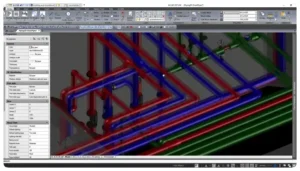
Features to Look for in High-Performance 3D Printing Design Software
When selecting high-performance 3D printing design software, several key features should be prioritized to ensure optimal functionality and effectiveness. First and foremost, the software should offer robust modeling capabilities, including support for both parametric and freeform design approaches. This allows users to create detailed and complex geometries tailored to specific project requirements. Compatibility with various file formats and 3D printers is essential for seamless integration into existing workflows. Advanced simulation and analysis tools are crucial for testing designs under virtual conditions, helping to identify potential issues before physical production. A user-friendly interface with customizable options enhances the design experience and efficiency.
The Benefits of Integrating 3D Printing Design Software
Integrating 3D printing design software into your workflow offers a multitude of benefits that enhance productivity, creativity, and efficiency. One of the primary advantages is the ability to rapidly prototype and iterate designs, significantly reducing development time and costs. The software enables precise modeling and simulation, allowing designers to test and refine their concepts before committing to physical production. This iterative process not only accelerates innovation but also minimizes the risk of costly errors and material waste. The software’s compatibility with various 3D printers and manufacturing processes ensures seamless integration into diverse production environments. Furthermore, the ability to create complex and customized designs opens up new possibilities for product differentiation and personalization.
A Comprehensive Guide For Right 3D Printing Design Software
Choosing the right 3D printing design software requires careful consideration of several factors to ensure it meets your specific needs and objectives. Start by evaluating the software’s compatibility with your existing 3D printers and manufacturing processes, as well as its support for various file formats. Assess the software’s modeling capabilities, including its ability to handle complex geometries, parametric designs, and freeform modeling. Advanced features such as simulation, analysis tools, and real-time rendering can significantly enhance the design process. Consider the software’s user interface and ease of use, as a well-designed interface can streamline your workflow and improve productivity. Collaborative features, such as cloud-based sharing and version control, are important for team-based projects.
The Role of 3D Printing Design Software in Product Development
3D printing design software plays a crucial role in streamlining product development by enhancing the efficiency and effectiveness of the design and prototyping process. The software enables designers to create and refine complex models with precision, allowing for rapid iteration and modification. This capability significantly reduces the time required to develop and test prototypes, accelerating the overall product development cycle. Advanced simulation and analysis tools within the software provide valuable insights into the performance and functionality of designs, helping to identify and address potential issues early in the development process. The ability to visualize and render designs in real-time aids in decision-making and ensures that the final product meets the desired specifications.
How 3D Printing Design Software Supports Customization?
3D printing design software is a powerful tool for supporting customization and personalization, allowing users to create tailored products that meet individual preferences and specifications. The software’s modeling capabilities enable designers to develop bespoke designs that can be easily adjusted to accommodate various customization options. This includes altering dimensions, shapes, and features to suit specific requirements. Integration with 3D printing technologies allows for the production of one-of-a-kind items without the need for expensive molds or tooling, making it feasible to offer personalized products on a small scale.
Essential Tips for Mastering 3D Printing Design Software
Mastering 3D printing design software can be a rewarding experience for beginners, but it requires a strategic approach to overcome initial challenges and build proficiency. Start by familiarizing yourself with the software’s interface and basic tools, focusing on understanding its core functionalities and features. Take advantage of online tutorials, user manuals, and community forums to learn from experienced users and gain insights into best practices. Begin with simple projects to build your confidence and gradually progress to more complex designs as you become more comfortable with the software. Experiment with different modeling techniques and explore the software’s advanced features, such as simulation and rendering tools, to enhance your design capabilities. Regular practice and iterative learning are key to developing your skills and achieving mastery.
Conclusion
In conclusion, 3D printing design software is an essential tool in the modern design and manufacturing landscape, offering a wide range of capabilities that transform how products are conceptualized and brought to life. Its advanced features, including detailed modeling, simulation, and real-time rendering, significantly enhance the prototyping and product development process, driving innovation and efficiency. By integrating 3D printing design software into their workflows, professionals can achieve greater precision, customization, and speed in their projects. The software’s role in revolutionizing manufacturing and streamlining design processes underscores its value across various industries.
Resources URL:
https://en.wikipedia.org/wiki/3D_printing
About Author